Markdown, styled as you type.
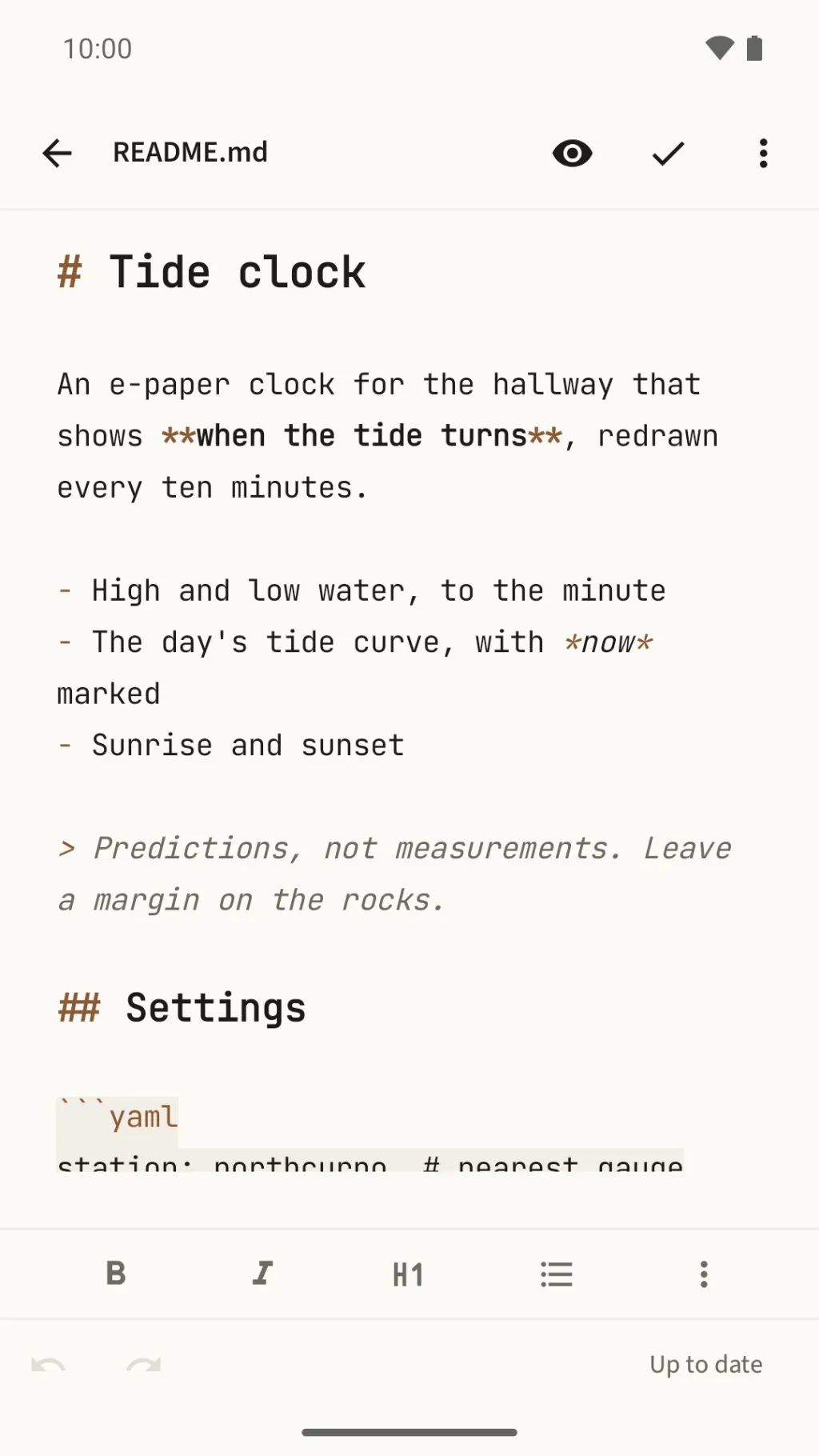
Write with every mark in view, already styled, then tap the eye to read the note without them. Your notes stay plain .md files.
For people who write in Markdown
And for anyone who only needs to read it, on a phone, without importing a thing.
Your .md files, on your phone
Keep your notes as .md files in a folder you sync to your phone? Tap one and read it where it is.
READMEs with real tables
Tables, task lists and code blocks come out as they should, the code coloured to suit the theme.
Drafts as plain .md files
Draft with headings and emphasis styled as you type, then tap the eye to read it back before you send it.
No account, no analytics
No internet permission at all. Octothorpe uses only your phone's storage and the cloud storage you choose.
Your files, wherever they live
Tap a .md file in any app, and it opens. No vault to import, nothing to set up: the file stays where it is.
Open any .md
In a file manager, an email or a chat, tap the file and choose Octothorpe, or share it to Octothorpe.
Styled as you type
Tap the pencil to write. Headings grow, bold turns bold, and the marks stay in view.
One tap to read
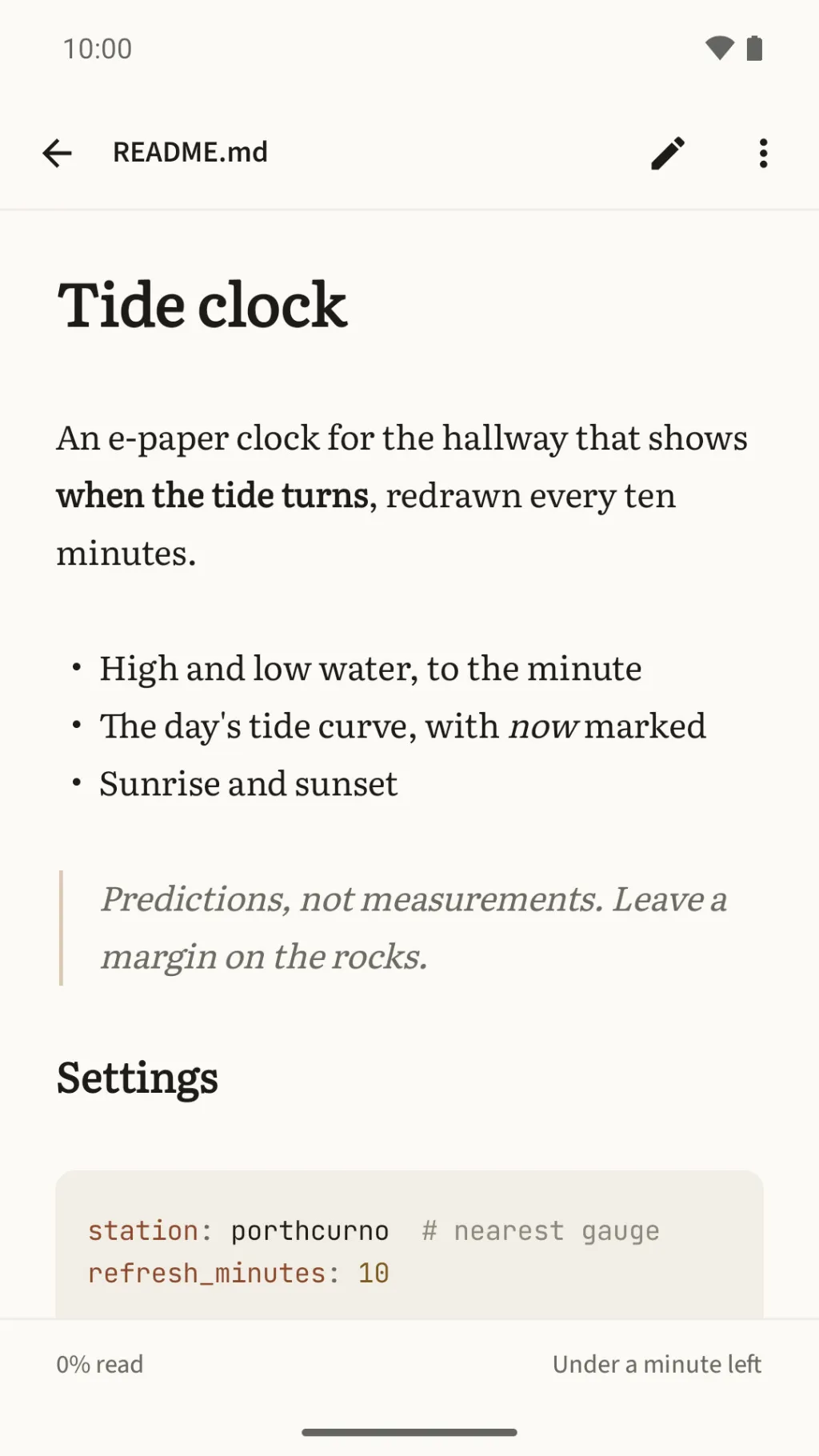
Tap the eye, and the marks disappear: the note is set in a book serif, ready to read.
Styled as you type
The marks stay in view while you write. Headings look like headings, bold looks bold, and every mark takes a quiet tint, so the words come first.
Marks stay in view
Every # and ** stays on the screen and in the file, so your notes stay plain Markdown.
Three ways to see it
Styled in monospace, styled in your reading typeface, or plain text. Choose in Settings.
A formatting toolbar
Bold, italic, headings, lists, task lists, quotes, links and code, with undo and redo.
Lists carry on
Press Enter in a list or a quote, and the next line continues it.
A cheat sheet
Forgotten how a table goes? The Markdown cheat sheet is in the editor's menu.
Saves on its own
Changes save as you go. If a save is cut short, Octothorpe can bring the file back whole.
Asks before it overwrites
If another app changes the file while you write, Octothorpe asks before writing over it.
Start a new file
Create an empty .md wherever you choose, and start writing.
One tap to read
Tap the eye, and the marks disappear. Your note is set in a book serif, in the theme of your choice.
Real tables, coloured code
Tables, task lists and quotes come out as they should, and code is coloured to suit the theme.
- Images stored with your notes in your home folder appear in the page.
- Contents lists every heading, and Search finds any word in the document.
Sixteen themes
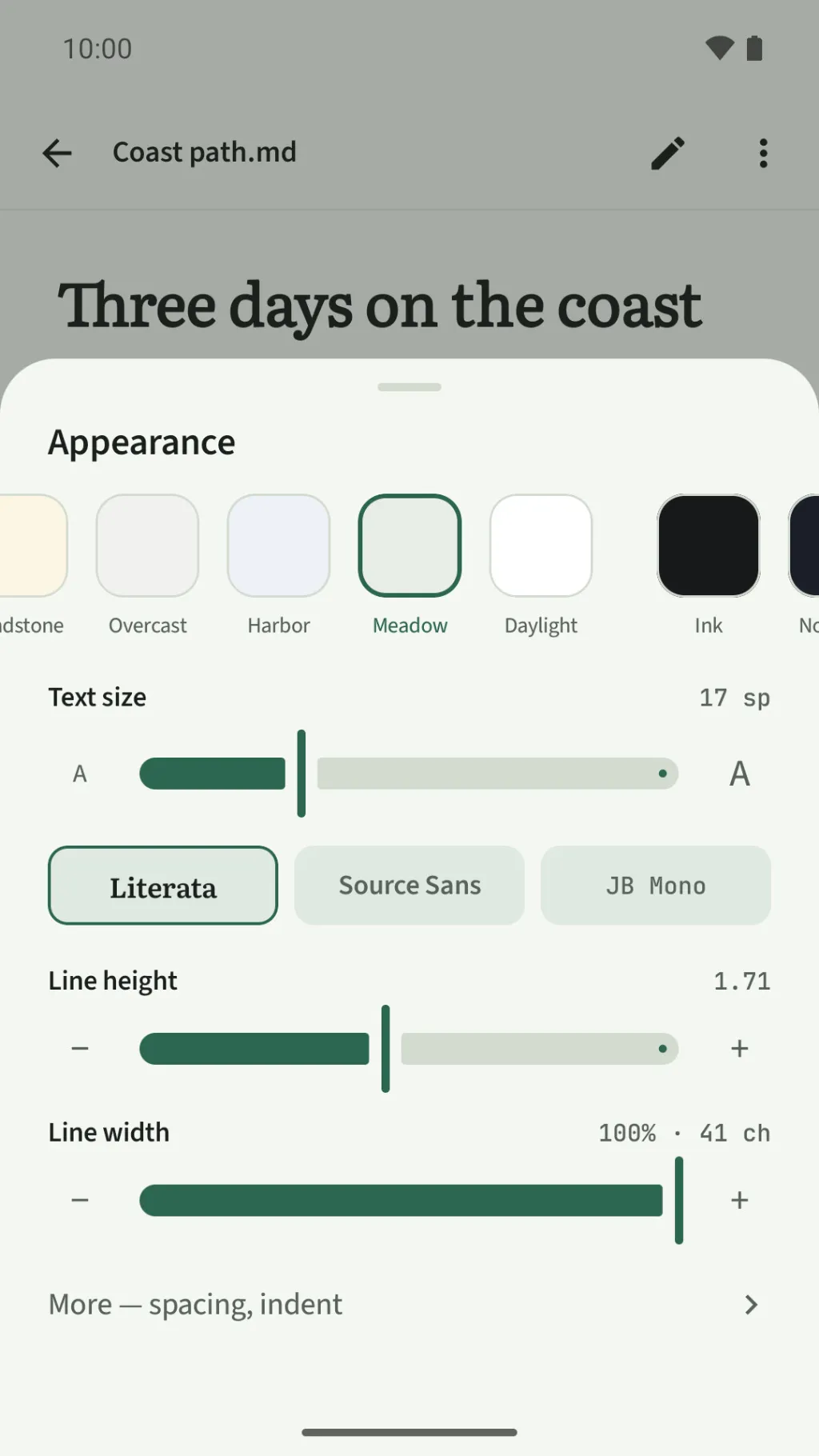
Light and dark, from warm paper to true black, with a low-blue bedtime theme and two high-contrast themes.
- Three typefaces: a book serif, a sans-serif and a monospace.
- Text size, line height, line width and spacing to tune.
- All under Appearance, in the menu while you read.
Mark what matters
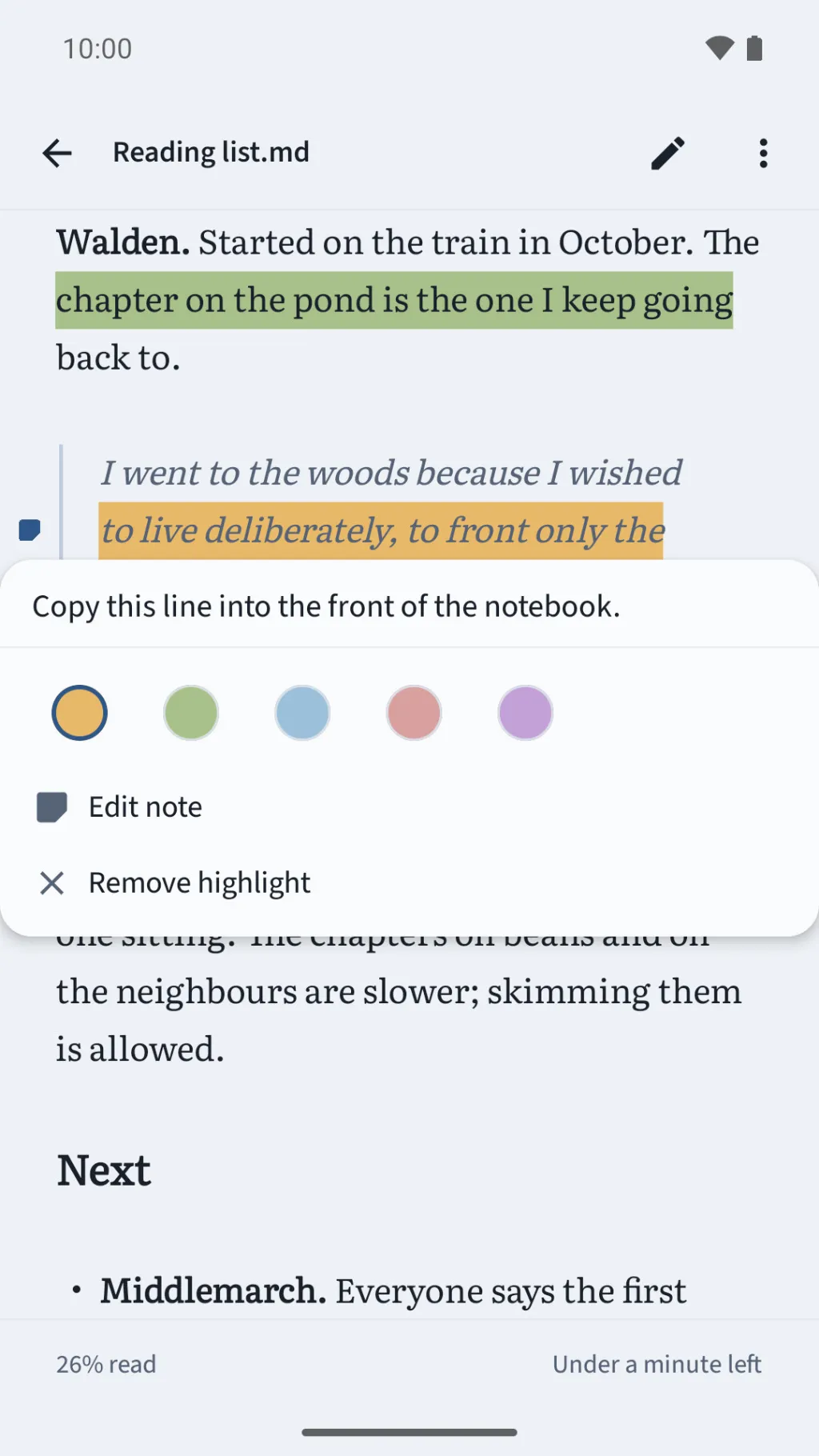
Highlight a passage in one of five colours and add a note to it.
- Bookmark as many places as you like, in Markdown or on a PDF page.
- When the text moves, highlights follow it. If the words are gone, your note is kept.
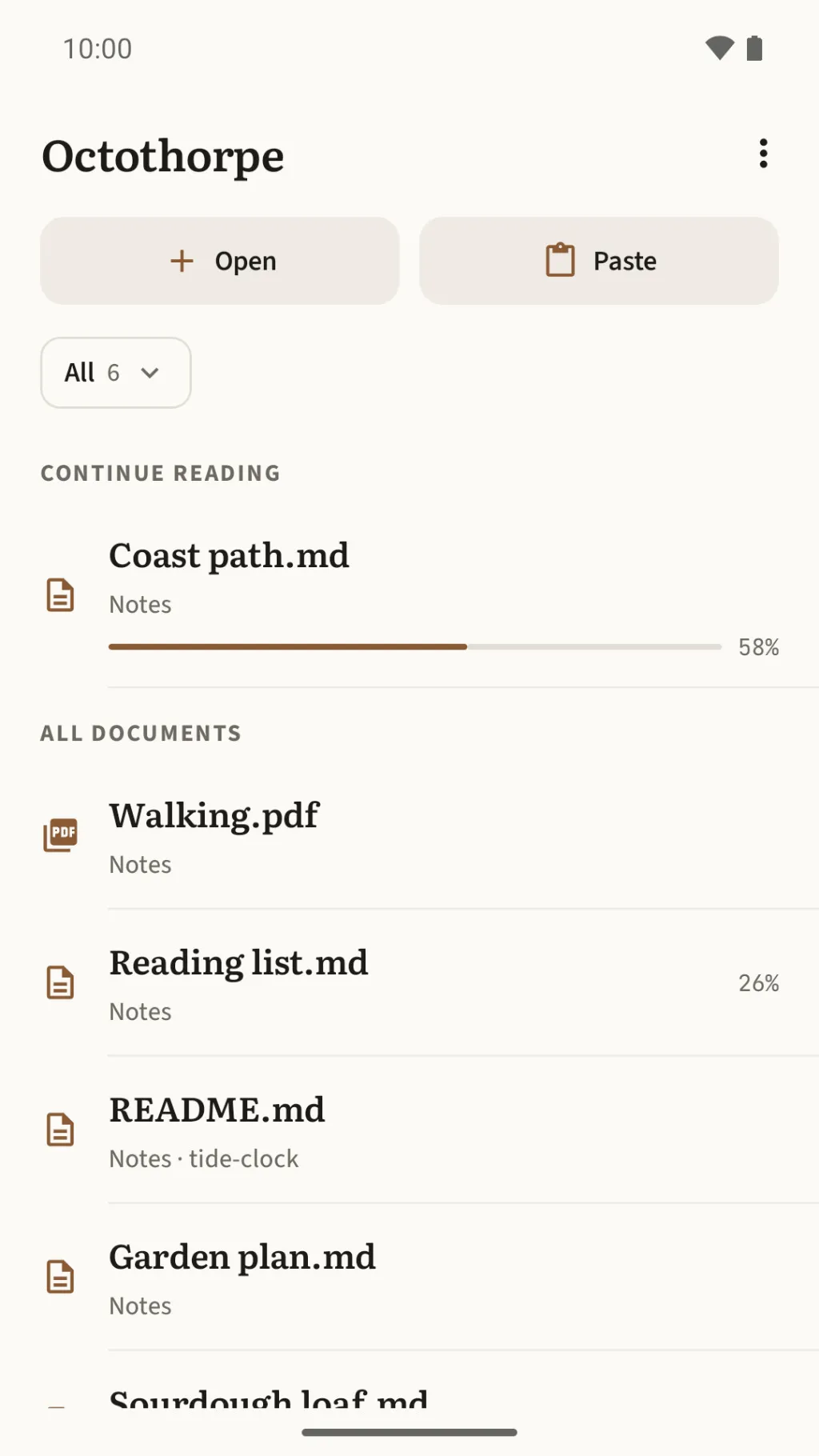
Pick up where you left off
Octothorpe remembers your place in each document and shows how much is left.
- Choose a home folder, and its Markdown files and PDFs stay in your Library.
- Copied some Markdown? Paste it and read it straight away.
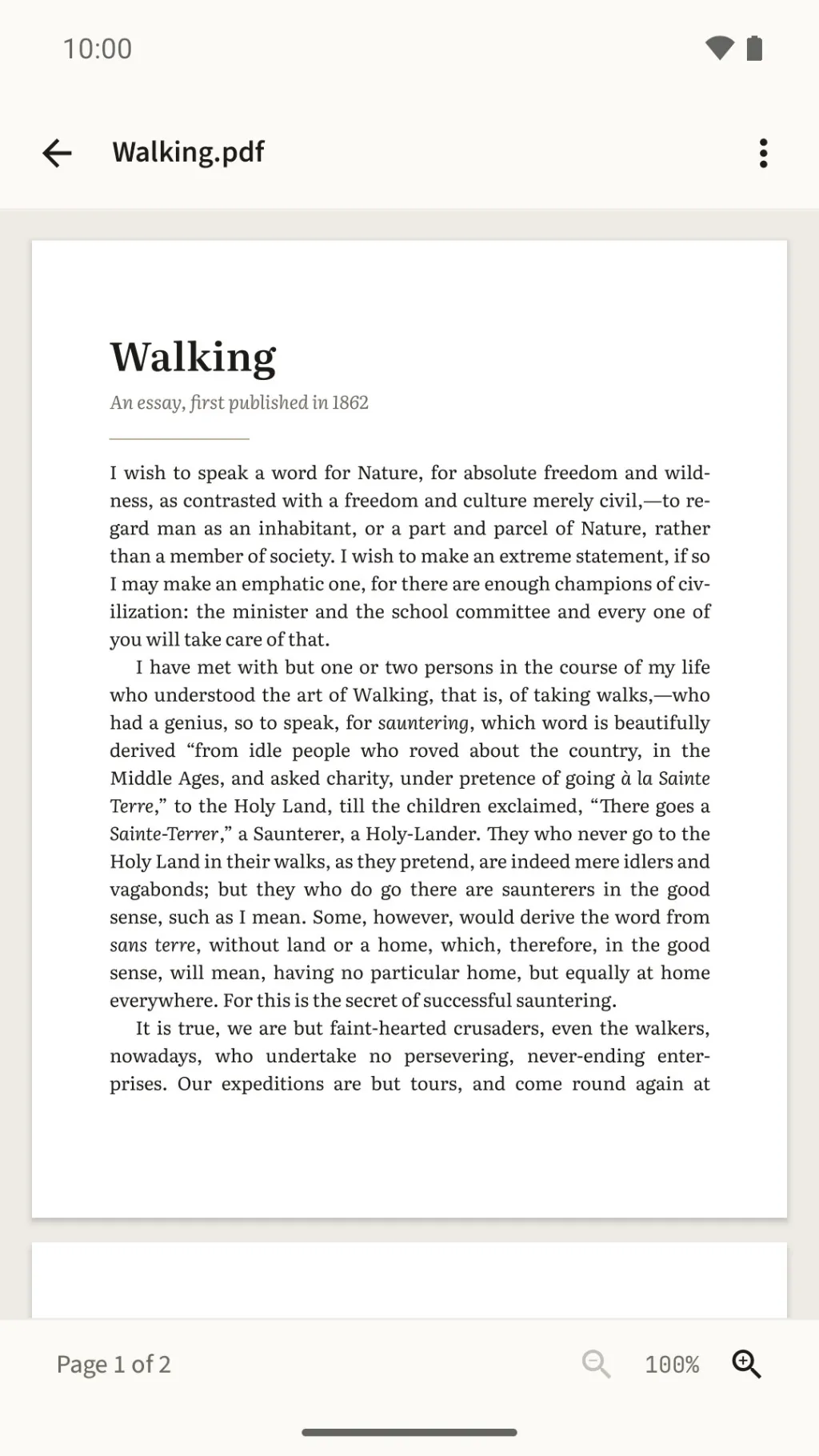
PDFs too
Read PDFs on the same quiet page: zoom up to 400%, bookmark pages, and pick up where you left off.
No internet permission
Not a promise in a policy — a capability the app was never given.
Octothorpe does not have the internet permission. Android itself stops the app from connecting to anything (Android's own backup can copy the app's data to your Google account). You can confirm that in the app manifest, which anyone can check.
Octothorpe uses only your phone's storage and the cloud storage you choose, and reads only the files and folders you pick. No account, no sign-in, no analytics, no ads.
Buy it once
Try everything free for 7 days of use — a day counts only when you open a document — and then a one-time unlock through Google Play. No subscription, no renewals, and nothing you made is deleted while you decide.
Questions people ask first
Short answers about writing, reading, PDFs, sync and the trial.
Does it hide the Markdown while I write?
Not while you write: the marks stay in view, styled as you type. Tap the eye to read the note without them. There is no word-processor mode.
Can I edit or search a PDF?
No. PDFs can be read, not edited, and their text can't be searched, selected or highlighted. You can zoom, bookmark pages and pick up where you left off.
Does it sync my notes?
Octothorpe has no sync of its own. Your files stay where you keep them, on your phone or in the cloud folder you choose.
Does it show images from the web?
No. Octothorpe doesn't load images from the web. Images stored with your notes in your home folder appear in the page.
What counts as a day of use in the trial?
Only a day you open a document. A day you don't open one doesn't come off your trial. After 7 days of use, documents stop opening until you buy the one-time unlock — nothing you made is deleted.
Does it need an internet connection?
It cannot use one: the app has no internet permission. It works with your phone's storage and the cloud storage you choose. (Buying the unlock goes through Google Play, which needs a connection.)
Which languages is it in?
English and French. It follows your phone's language, or the per-app language setting on Android 13 and later.
Is there an iPhone version?
No. Octothorpe is an Android app, for Android 8.0 or later.
Where do I get it?
It is not on the Google Play Store yet — it is coming soon.